

What Is FRP Lock?
If you have ever factory-reset an Android phone and then seen a message asking you to verify a Google Account that was previously used on the device, you may have encountered FRP lock.
FRP stands for Factory Reset Protection. It is an Android security feature designed to help prevent an unauthorized person from simply resetting a protected phone and setting it up as their own device.
After certain factory-reset situations, Android may require security information associated with the device before setup can continue. Google specifically recommends knowing the Google Account username and password associated with the phone before performing a factory reset.
In simple terms:
FRP helps make sure that a factory reset does not automatically make a protected Android phone available to an unauthorized user.
This guide explains what FRP means, why it appears, how it differs from a screen lock, how to avoid FRP problems, and what legitimate options you have if your phone is asking for previous account information.
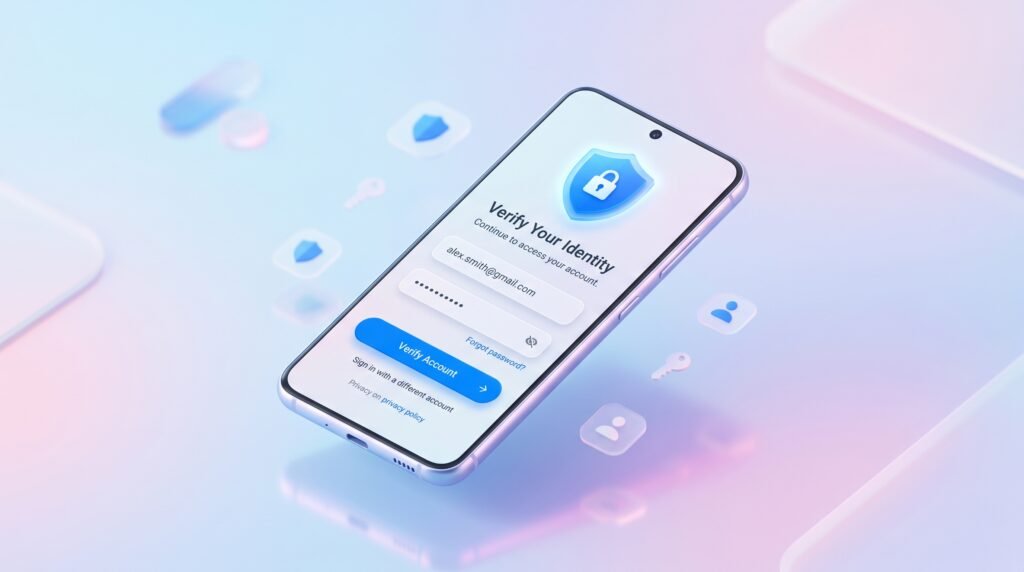
What Does FRP Stand For?
FRP means Factory Reset Protection.
It is part of Android’s device-protection system and is intended to protect a device after an unauthorized or otherwise untrusted factory reset.
The basic idea is simple:
Google Account on device → Factory reset → Security verification → Device setup
The exact behavior can vary by Android version, device manufacturer, and whether the device is personally owned or managed by an organization. Android’s documentation specifically notes that FRP policies can be configured differently on managed devices.
Why Does Android Have FRP?
A factory reset removes personal information, applications, settings, and other user data from the device.
However, a reset by itself should not necessarily mean that anyone who finds or obtains the phone becomes its legitimate owner.
FRP adds another layer of protection.
For example, imagine someone loses their Android phone. Another person obtains it and performs a factory reset. Without appropriate device protection, the person could potentially attempt to configure the phone as a new device.
FRP makes unauthorized reuse harder by requiring security verification after certain resets.
This is why FRP is better understood as device ownership protection, rather than simply another type of screen password.
How Does FRP Work?
The process is easier to understand through a simple example.
1. A Google Account Is Added
A Google Account is added to the Android device and used with the phone’s services.
2. The Device Is Used Normally
The owner continues using the phone, installing applications, storing information, and signing into services.
3. The Phone Is Factory Reset
A factory reset removes the device’s user data and returns the phone to its initial setup state.
4. Android Checks the Device’s Protection State
Depending on the device and reset method, Android may require security verification before setup can continue.
5. The User Provides the Required Credentials
If verification is required, the legitimate user may need to provide the Google Account information associated with the device or another supported security credential.
Google’s current Android guidance tells users to make sure they know a Google Account username and password on the phone before resetting it because security information may be required after the reset.
Why Does FRP Lock Appear After a Factory Reset?
FRP does not necessarily behave identically on every Android phone.
The result can depend on the device, Android version, reset method, manufacturer software, and device-management configuration.
A common situation looks like this:
Google Account remains associated with phone → phone is reset → setup requests previous account verification
This is particularly common when a phone is reset before it has been properly prepared for a new owner.
Common situations include:
- A phone is reset through a recovery or hardware-based reset process.
- A device is sold without properly removing the previous owner’s account.
- A user performs a reset and no longer remembers the account credentials.
- A managed device has an organization-specific FRP policy.
- The reset and account-removal process was not completed correctly.
Google’s Android Enterprise documentation confirms that recovery-based resets can trigger FRP in certain managed-device configurations, while behavior can differ for resets performed through Settings.
Is FRP the Same as a Screen Lock?
No.
A screen lock and FRP protect the device at different stages.
| Feature | Screen Lock | FRP |
| Main purpose | Protect access during normal use | Help prevent unauthorized device setup after certain resets |
| Examples | PIN, password, pattern, biometrics | Google Account/security verification |
| When relevant | During everyday phone use | During device setup after a protected reset |
| Factory reset | User data and screen-lock settings are generally erased | Protection may still require verification depending on device configuration |
| Main concern | Access to the current user session | Unauthorized reuse after a reset |
Think of it this way:
Screen lock protects your phone while you are using it.
FRP helps protect the phone when it has been reset and is being set up again.
FRP Lock vs. Google Account Verification
These terms are often used interchangeably, but they are not exactly the same thing.
FRP
Factory Reset Protection is the underlying device-protection mechanism.
Google Account Verification
This is the setup process that may ask the user to verify an account associated with the device.
So when someone says:
“My phone has Google verification.”
They may be describing the verification step associated with FRP.
The important point is that the verification screen is part of the protection process; it is not simply the same thing as the phone’s normal screen lock.
Which Android Phones Use FRP?
FRP is associated with Android devices that support Google’s device-protection framework, but exact behavior varies by manufacturer, software version, and device configuration.
You may encounter FRP-related protection on devices from brands such as:
- Samsung
- Google Pixel
- Motorola
- Xiaomi
- Redmi
- POCO
- Nokia/HMD
- TECNO
- Infinix
- OPPO
- vivo
- realme
However, don’t assume that every model from these brands behaves exactly the same way.
Some devices or regional versions may use different Google-service configurations or additional manufacturer-specific security systems.
For example, Samsung and Xiaomi can have their own account and security mechanisms in addition to Google-related protections.
That is why a device-specific troubleshooting guide is often more useful than assuming that one FRP procedure applies to every Android phone.
How to Avoid FRP Problems Before Factory Reset
The easiest FRP problem to solve is the one you prevent before resetting the phone.
If you own the device and are planning to sell, trade, donate, or reset it, prepare it first.
1. Confirm Your Google Account
Before resetting, make sure you know the Google Account email address associated with the phone.
Also confirm that you know the current password.
Google recommends checking your account credentials before performing a factory reset.
2. Back Up Your Important Data
A factory reset removes data stored on the phone.
Back up important:
- Photos
- Contacts
- Documents
- Messages
- Application data
- Other files you need
Google also recommends backing up data before a factory reset.
3. Remove Your Accounts When Preparing the Phone for Sale
If you’re giving the phone to another person, properly remove your Google Account and any relevant manufacturer accounts before handing over the device.
The exact menu names can differ between Samsung, Xiaomi, Motorola, and other Android devices.
4. Use the Manufacturer’s Recommended Reset Process
Android provides reset options through Settings on most phones, while specific instructions can vary by manufacturer.
Google recommends checking the manufacturer’s support information for device-specific reset instructions.
5. Don’t Reset a Used Phone Before Checking Its Status
If you’re purchasing a used Android phone, check that the seller has properly prepared it for transfer.
Ideally, the phone should be able to reach the normal setup screen without requesting credentials belonging to the previous owner.
What Should You Do If Your Phone Is Asking for a Previous Google Account?
If your Android phone is showing a Google Account verification screen after a reset, don’t immediately assume that the phone is broken.
First, identify whether you are the original owner.
If You Own the Phone
Try the Google Account that was previously associated with the device.
If you’ve forgotten the password, use Google’s official account-recovery process rather than relying on unofficial “unlock” services.
Google’s factory-reset guidance specifically recommends knowing the Google Account credentials associated with the phone before resetting it.
If You Recently Changed Your Password
Be careful about immediately resetting the phone again.
Google currently advises waiting 24 hours after a recent Google Account password reset before performing a factory reset.
If You Bought the Phone Used
Contact the seller.
The previous owner should properly prepare the device for transfer. If the seller cannot or will not resolve the account-verification issue, consider using the marketplace’s return or dispute process.
If You Still Cannot Access the Device
Contact the phone manufacturer’s official support or an authorized service provider and explain the situation.
Keep your purchase documentation available where appropriate
What If You Bought a Used Android Phone With FRP Lock?
Buying a used phone with FRP enabled can be frustrating, but there is a straightforward first step:
Contact the seller.
The previous owner should have prepared the device before selling it.
If the seller is available, ask them to help complete the legitimate account-removal and device-transfer process.
If the seller is unavailable or refuses to help, consider requesting a refund through the platform or payment method you used.
Before buying a used Android phone, check:
- The phone boots normally.
- The seller has removed their accounts.
- The device can reach the normal setup process.
- The seller can demonstrate that the phone is ready for a new owner.
- The IMEI/device details are legitimate where applicable.
- You receive appropriate proof of purchase when available.
Never assume that a factory reset automatically means a phone is ready for a new owner.
Can a Factory Reset Remove FRP?
Not necessarily.
A factory reset removes the user’s data and returns the phone toward its initial setup state, but the reset does not automatically mean that all device-protection requirements disappear.
Google’s current documentation explains that after a factory reset, users may need to provide security information associated with the device before they can restore and continue using it.
The exact result depends on the device and its configuration.
This is why it is important to prepare an Android phone correctly before performing a factory reset, especially when transferring ownership.
FRP and Android Security
FRP is only one part of the wider Android security ecosystem.
Modern Android devices can use multiple layers of protection, including:
- Screen locks
- Google Account security
- Device encryption
- Find Hub/device-finding features
- Theft-related protections
- Manufacturer security systems
- Enterprise device-management policies
Google has also continued strengthening Android’s factory-reset and theft protections.
The goal is not simply to make phones difficult to reset.
The larger goal is to make it harder for an unauthorized person to turn a protected device into a usable personal device after obtaining it.
Frequently Asked Questions
What does FRP stand for?
FRP stands for Factory Reset Protection. It is an Android security mechanism designed to help protect a device after certain factory-reset situations.
What is FRP lock on Android?
FRP lock refers to the protection that may require verification associated with a previously used account after a protected factory reset.
Why is my phone asking for a previous Google Account?
Your phone may be asking for previous account information because Android’s device-protection system requires verification after the reset.
Does every Android phone have FRP?
FRP availability and behavior depend on the device, Android version, Google services, manufacturer software, and configuration. You should not assume that every Android model handles FRP in exactly the same way.
Does a factory reset remove FRP?
A factory reset erases user data, but it does not necessarily eliminate the device’s protection requirements. The exact behavior varies by device and configuration.
How can I avoid FRP problems before resetting my phone?
Make sure you know the Google Account credentials associated with the phone, back up your data, properly prepare the device for transfer if you’re selling it, and follow the manufacturer’s recommended reset process.
What should I do if I forgot my Google Account password?
Use Google’s official account-recovery process to recover access to the account. Avoid relying on unofficial services that claim to remove ownership protections.
What should I do if I bought a used phone with FRP enabled?
Contact the seller and ask them to properly resolve the account association. If they cannot help, consider requesting a refund through the marketplace or payment platform.
Conclusion:
FRP lock is an Android security feature designed to help prevent unauthorized use of a device after certain factory resets.
If you’re resetting your own phone, the best approach is to prepare it beforehand: back up your data, confirm your Google Account credentials, remove accounts when transferring ownership, and follow the manufacturer’s instructions.
If you’ve purchased a used phone and it asks for the previous owner’s account, the safest solution is to work with the seller or use the appropriate official support and return channels.
Understanding FRP before resetting or buying an Android phone can save you from an unnecessary lockout.
Sources / References
- Google Android Help — Reset your Android device to factory settings.
- Android Developers — FactoryResetProtectionPolicy API documentation.
- Google Android Enterprise Help — Enable enterprise factory reset protection.
- Google — What’s New in Android Security and Privacy.

